
The POS remains the source of sales data
A cashier completes a sale. The POS keeps the transaction, calculates amounts and prepares the invoice information needed for the relevant e-Invoice flow.
Connect your existing POS, ERP, accounting or custom business application to LHDN MyInvois through the MySyncTax API. Your software continues to manage sales and billing while the middleware handles invoice submission and response tracking.
Designed for Malaysian businesses, software developers and solution providers integrating existing applications with e-Invoicing.
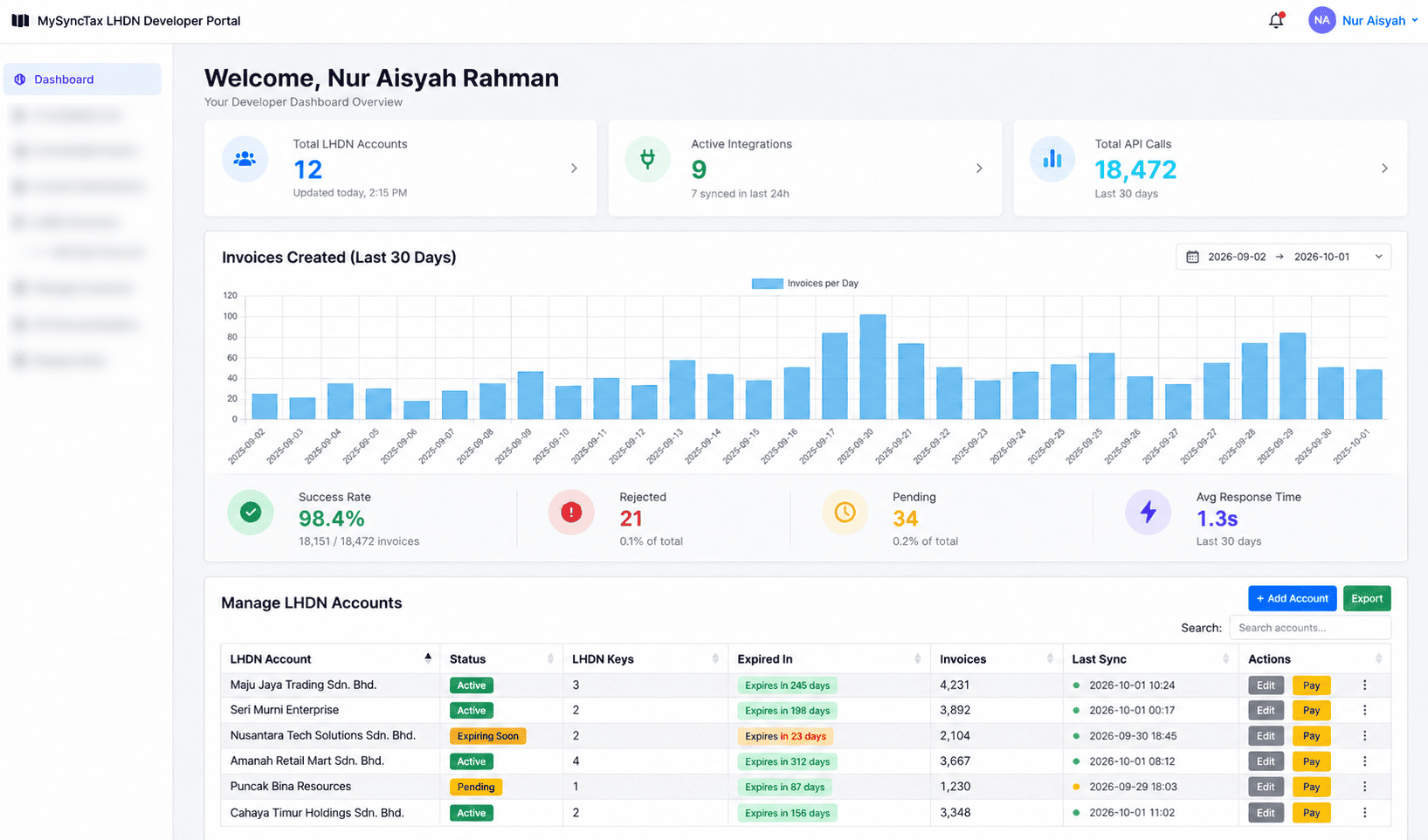
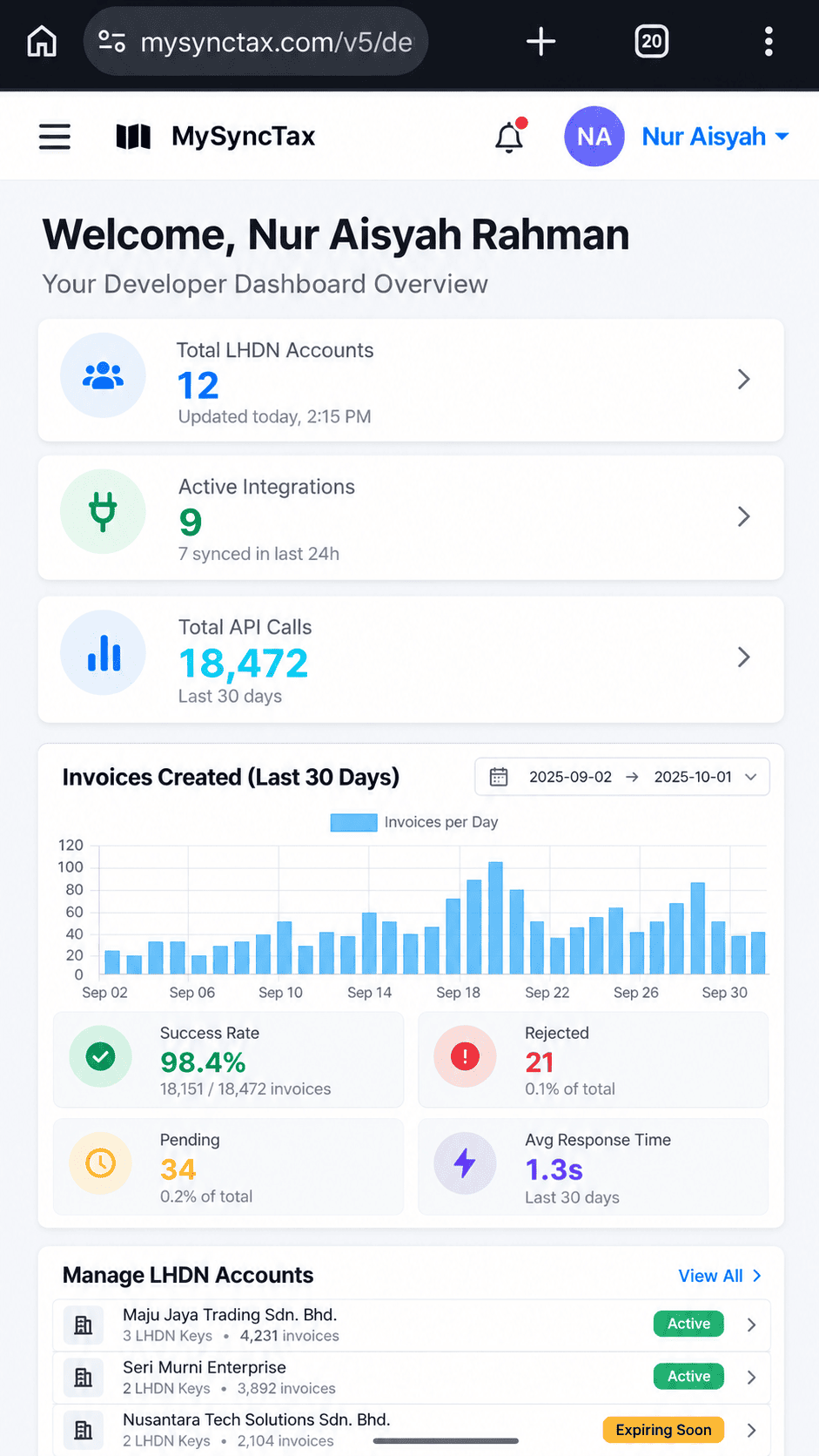
e-Invoice middleware is a software integration layer between your business application and LHDN MyInvois. Your application sends invoice information to the middleware API, the middleware communicates with MyInvois, and your application receives the submission response. MySyncTax provides this common integration path for compatible POS, ERP, accounting and custom systems.
POS, ERP, accounting or e-commerce
e-Invoice middleware API
LHDN e-Invoice platform
Building and maintaining a separate MyInvois connection for each application repeats the same work. MySyncTax gives your team a shared connection to maintain as you add or update business systems.
MySyncTax handles invoice submission and status tracking, helping your team see which invoices have been processed and which need attention. Your sales, customer records and billing stay in your existing software.
You do not need to replace a working POS or ERP simply to add e-Invoice submission. A middleware API can separate MyInvois-specific processing from the sales, billing and accounting functions your team already uses.

Connect your existing system without replacing your POS, ERP or accounting software. Your team can keep using familiar sales and billing tools while MySyncTax handles the MyInvois connection.
Give your developers a shared middleware API to connect to. Reduce repeated development and maintenance work instead of building a separate MyInvois integration for every application.
Use one middleware layer across your POS, ERP, accounting and custom systems. Each application keeps its own role while sharing the same approach to MyInvois submission and status tracking.
If you need to add MyInvois support to software you sell, connect several business systems or keep your existing billing tools, e-Invoice middleware can help. MySyncTax gives these businesses a shared connection to LHDN MyInvois, reducing the need to build and maintain separate integrations.

Add e-Invoice capabilities to your software products or SaaS platforms. Reuse one middleware connection across applications to reduce repeated development and maintenance work.
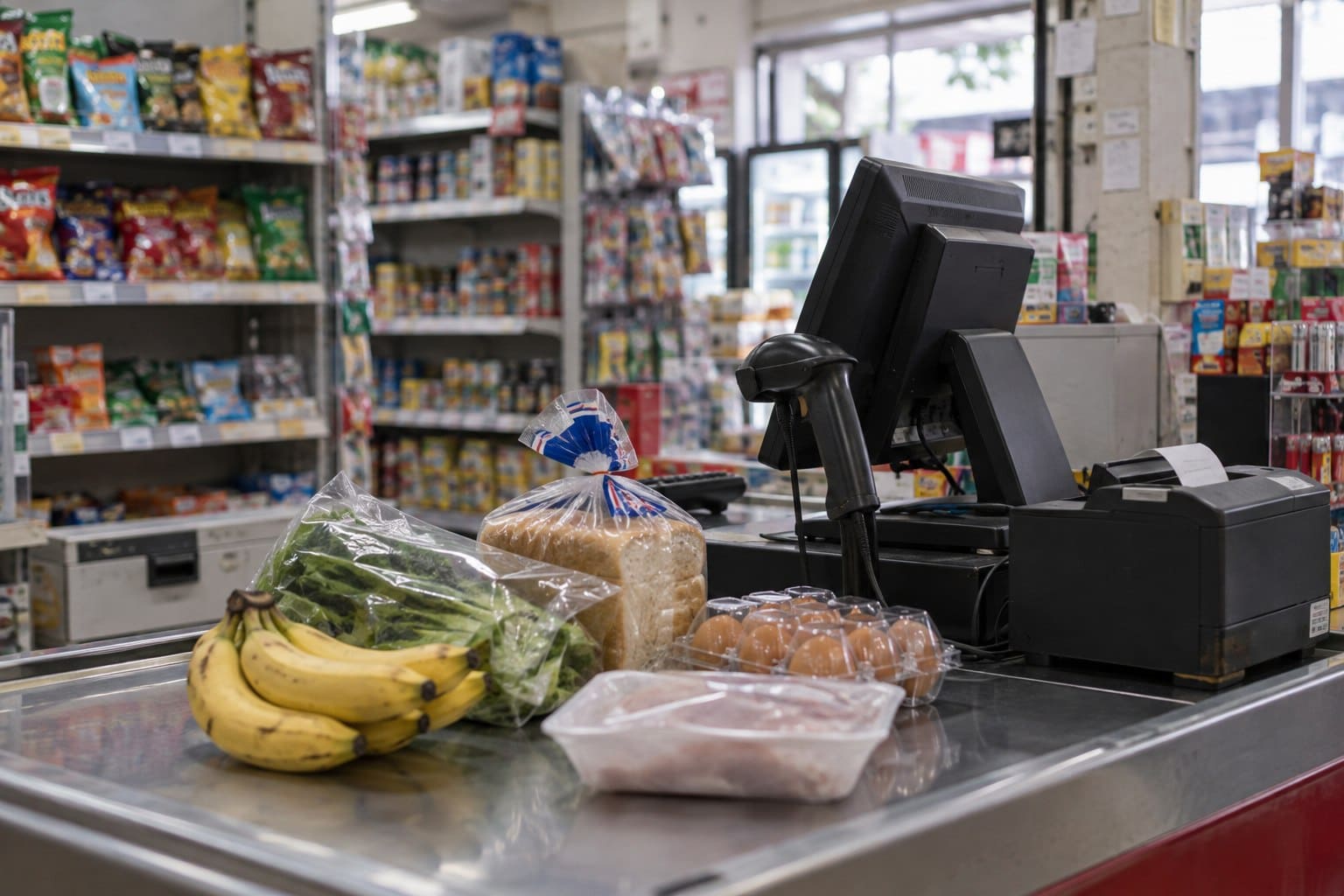
Offer MyInvois integration to retail, F&B and multi-outlet customers while keeping familiar checkout and receipt workflows in your existing POS software.

Connect your customers' ERP billing processes to MyInvois while keeping inventory, purchasing and operational workflows in the ERP they already use.

Let customers submit e-Invoices and track their status from familiar accounting and billing tools, without replacing their accounting software.

Connect invoice data from your online sales platform to MyInvois. Keep order management and fulfilment in your existing platform while MySyncTax handles e-Invoice submission and status tracking.

Bring multiple POS, ERP and internal business applications onto one middleware layer. Reduce separate integration projects and give your teams a consistent way to manage MyInvois submissions.
The flow is simple: your system creates the invoice, MySyncTax handles the MyInvois-facing work, and the result comes back to your application. In a typical integration, it looks like this:
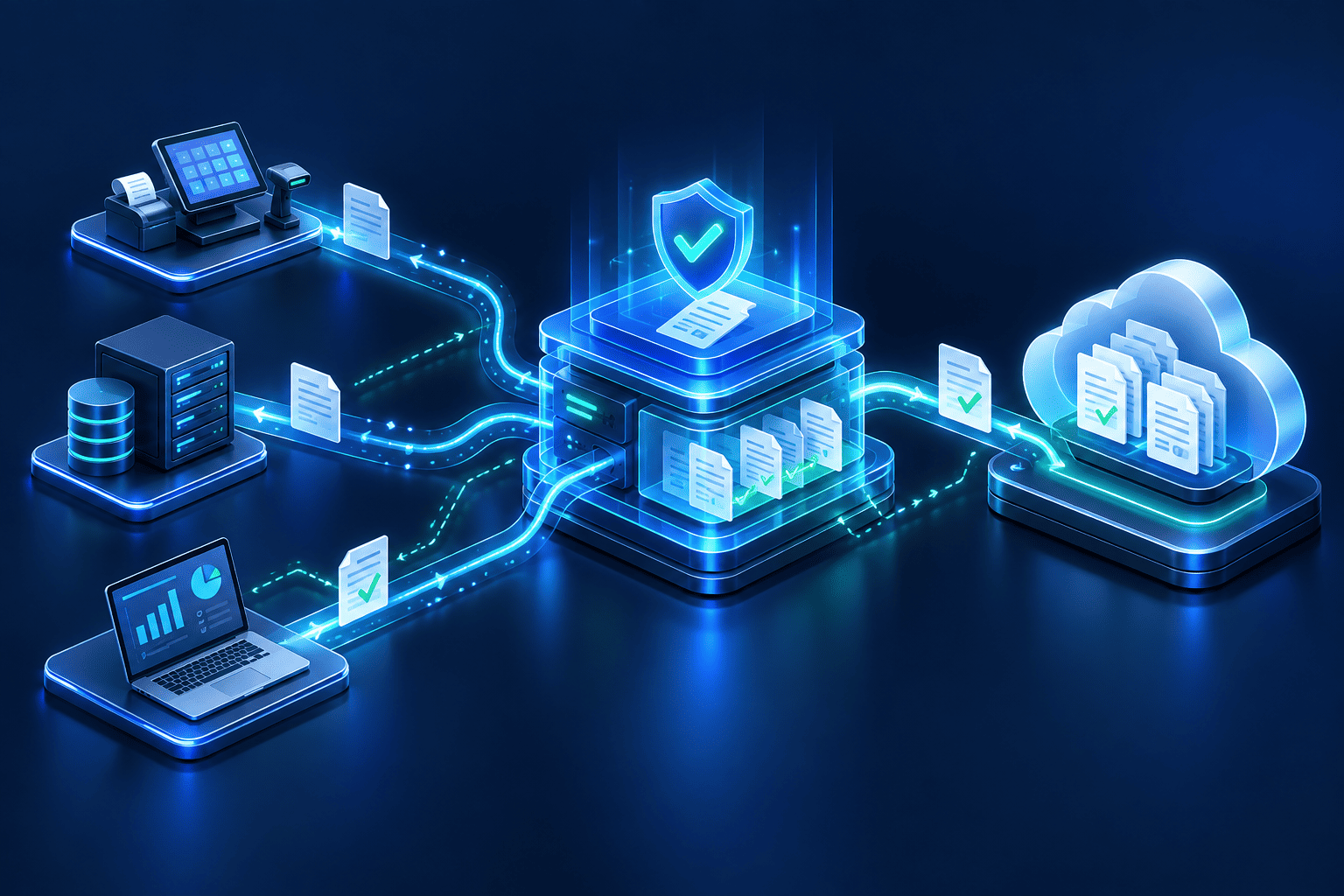
MySyncTax supports core tasks around sending invoice data to MyInvois and following up on the submission response. Specific document types, queues, retries, logging and callback capabilities should be confirmed for your account and integration configuration.
This diagram illustrates the application-to-middleware-to-MyInvois flow. Your application sends invoice data as documented requests; the integration layer communicates with MyInvois and returns the relevant response and document references. Implementation specifics depend on the API endpoints and your configuration.
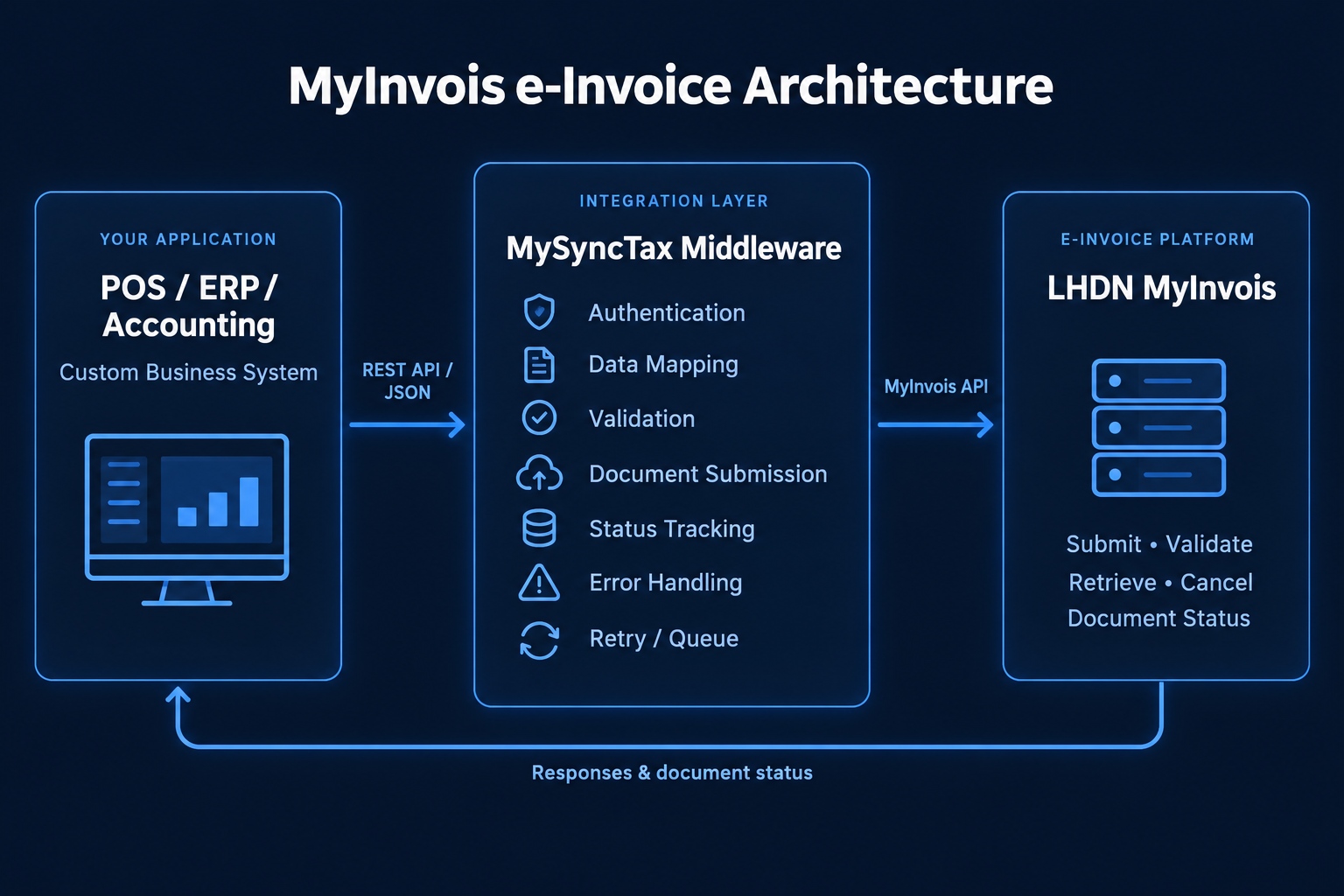
Configure your application to send HTTPS requests with JSON payloads.
Use your application's credentials following the MySyncTax API documentation.
Map invoice fields, line items and customer details to the documented request format.
Send the prepared document to MySyncTax for processing and submission to MyInvois.
Read the response returned through MySyncTax and store the document references.
Use the returned references to follow validation and update your application's invoice record.
Review errors, correct invalid data and retry temporary failures through the configured retry or queue flow.
Retrieve the document information using its reference for display and reconciliation.
Both approaches can connect a business system to LHDN MyInvois. The better option depends on your technical resources, application architecture and ongoing maintenance needs.
| Consideration | Direct MyInvois integration | MySyncTax middleware |
|---|---|---|
| Development | Your team builds and maintains the MyInvois-facing connection. | Your team connects to the documented MySyncTax API. |
| Invoice mapping | Your software prepares the document format required by MyInvois. | Your software maps business data to the MySyncTax request format; middleware handles its configured transformation steps. |
| Responses and status | Your software implements its own response and status handling. | Your software handles MySyncTax responses and uses the available status functions. |
| Multiple products | Each product needs its own integration or an internally maintained shared service. | Compatible products can connect through a common integration layer. |
| Ongoing ownership | Your team manages the end-to-end integration lifecycle. | MySyncTax maintains its middleware service; your team remains responsible for its application mapping and business rules. |
| Good fit | Teams requiring full API control and able to maintain it. | Teams wanting a shared connection without building every MyInvois-facing operation themselves. |
Neither approach removes your obligation to send accurate invoice information and handle rejected documents. Review the official MyInvois SDK alongside the MySyncTax API documentation before choosing an architecture.
Middleware is most useful when several applications require MyInvois connectivity, or when your team wants to keep MyInvois-facing logic outside its core business software. Direct integration may be preferable when you need complete control over every API interaction and have the developers to maintain it. The table below shows how responsibilities can be divided when using MySyncTax.
| Your Application | MySyncTax Middleware |
|---|---|
| Manage sales | Process e-Invoice requests |
| Manage products | Validate invoice data |
| Manage customers | Transform invoice data for submission |
| Manage payments | Communicate with MyInvois |
| Run business-specific logic | Handle submission responses |
| Display invoice information | Track submission status |
| Manage customer-facing workflows | Keep integration logs |
This illustrative scenario shows the responsibilities of each system. It is not a claim about a particular customer deployment.
A cashier completes a sale. The POS keeps the transaction, calculates amounts and prepares the invoice information needed for the relevant e-Invoice flow.
The POS integration sends the mapped invoice data to MySyncTax. It processes the request through the configured submission workflow and returns a response that the POS can associate with its own transaction.
The POS or its administrative application records the response and document references. If a submission is rejected, the team reviews the error, corrects the source information and follows the agreed retry process.
Other compatible POS applications or outlets may use the same middleware approach, with separate entity mappings, permissions and account configuration where required.
Connect your point-of-sale software to LHDN MyInvois through MySyncTax e-Invoice middleware. Your POS sends the invoice information, and the middleware processes the data, submits it to MyInvois and handles the response. This gives POS providers a common way to add e-Invoice support across the retail and food-service systems they maintain.

Restaurant, café and food-service POS systems can keep managing orders and sales as usual, while MySyncTax handles the MyInvois submission layer.
Retail POS systems used by shops, minimarkets and pharmacies can send invoice information through the middleware API without moving the rest of the sales workflow out of the POS.
For multi-outlet platforms, a shared middleware service can keep the integration approach consistent across locations. The account structure should match the way those outlets or businesses are actually managed.
ERP and accounting platforms can use MySyncTax to connect their existing invoice and billing processes with MyInvois. The middleware handles the API communication and submission work, while business rules remain in your own software. This is useful when you want a consistent MyInvois API integration across several applications without building the full connection separately into each one.

Keep operational processes and business rules inside the ERP. Your developers only need to map the invoice data that should be sent to MySyncTax.
Accounting and billing applications can send invoice data through the middleware and use the returned response to update their own records.
Proprietary and in-house systems can use the same API. The integration can be built around the invoice data and processes your application already has.
Before integration starts, your developer or implementation partner should understand the invoice workflow, the data your application produces and the credentials required for the applicable environment.
Confirm your POS, ERP, accounting platform or custom application can make HTTPS requests and exchange JSON payloads, directly or through an integration service.
Prepare a representative invoice showing customer details, tax information, line items, amounts and the applicable document type. Missing fields should be resolved before go-live.
Review MyInvois registration and authorization requirements, then obtain the credentials and testing instructions appropriate to your MySyncTax setup. Separate test and production environments.
Decide how your application records document identifiers, tracks processing, surfaces validation failures and handles retries without generating accidental duplicate submissions.
For the exact account setup, supported fields and API requests, use the MyInvois integration guide and the MySyncTax developer documentation.
Start with the MyInvois API Integration Guide to plan account setup, credentials and the connection to your existing system. Then use the MySyncTax API Reference for endpoints, authentication, request formats and response examples. Map your invoice data, handle errors and test status updates before moving to production.

e-Invoice integration involves financial and customer information. Evaluate how credentials, transmissions, user access and stored records will be handled before connecting a production system.
Follow the authentication procedure in the current MySyncTax API documentation. Keep API credentials out of browser code and source-control repositories, and restrict access to authorized personnel.
Integrate through documented HTTPS endpoints. Review application permissions and determine which employees or services are allowed to submit or retrieve invoice records.
Decide what submission references, statuses and error messages your team needs for troubleshooting. Avoid exposing sensitive invoice details in unrestricted application logs.
Ask about applicable retention, hosting, backups, incident handling and contractual data-processing terms. Confirm product-specific safeguards with the MySyncTax team rather than assuming every deployment uses identical controls.
Security controls and support commitments should be verified as part of your integration assessment; this section is a planning checklist, not a certification or guarantee.
Organisations displayed in the existing MySyncTax reference section. Confirm each relationship and logo-use permission before publication; a reference does not automatically mean an endorsement of this specific middleware product.



Answers to common questions about connecting POS, ERP, accounting and custom applications to LHDN MyInvois.
Use the documented authentication and HTTPS endpoints, secure credentials in your own system and review access controls, logging and data-handling terms with MySyncTax. See the security checklist for questions to verify.
Prepare sample invoice data, confirm how your application makes HTTPS/JSON requests, review account and testing requirements, and decide how your system will process returned statuses and errors. Start with the implementation checklist.
No. If your team needs full control and can maintain the MyInvois-facing code, direct integration can be appropriate. Middleware is useful when you want a common connection across applications or prefer to reduce repeated platform-facing work. See the side-by-side comparison.
It is the integration layer between your business application and LHDN MyInvois. With MySyncTax, your POS, ERP, accounting or custom system sends invoice data to the middleware, which handles the MyInvois-facing processing and returns the result. Your sales and billing logic stays in your own software.
Building a separate MyInvois connection for every application repeats development and maintenance work. MySyncTax gives your POS, ERP, accounting and business systems one middleware layer to share, so you can add e-Invoice support while keeping your existing software and billing processes.
Yes, provided the system can make HTTPS requests and exchange JSON data. Your developers will map the invoice fields to the MySyncTax request format and handle the returned response. If you tell us which POS or ERP you use, we can discuss the likely integration approach.
Yes. MySyncTax is suitable for software vendors, POS providers, ERP developers and other technology partners that need to add MyInvois support to an existing product. The middleware keeps that connection separate from the product's own features and business rules.
Use the API Documentation link on this page. It covers authentication, endpoints, request formats and response examples. We recommend reviewing it alongside a sample of the invoice data your application already produces before development starts.
It can, depending on how your accounts, customers and entities are structured. Share that structure with our team so the integration can be planned around the way your platform actually separates businesses or branches.
Data retention depends on the service configuration and integration requirements. Before implementation, confirm with our team which invoice details and logs are retained, how they are used and how long they are kept for your setup.
Yes, testing options are available depending on the integration configuration. Your developers can verify request formats, responses and error handling before production. Confirm the available test environment and go-live steps with our team for your setup.
Tell us which POS, ERP or accounting software you use and where e-Invoicing is creating extra work. We will help you assess how MySyncTax can connect your systems, reduce repeated integration work and fit into your existing operations.