Prepare the taxpayer account
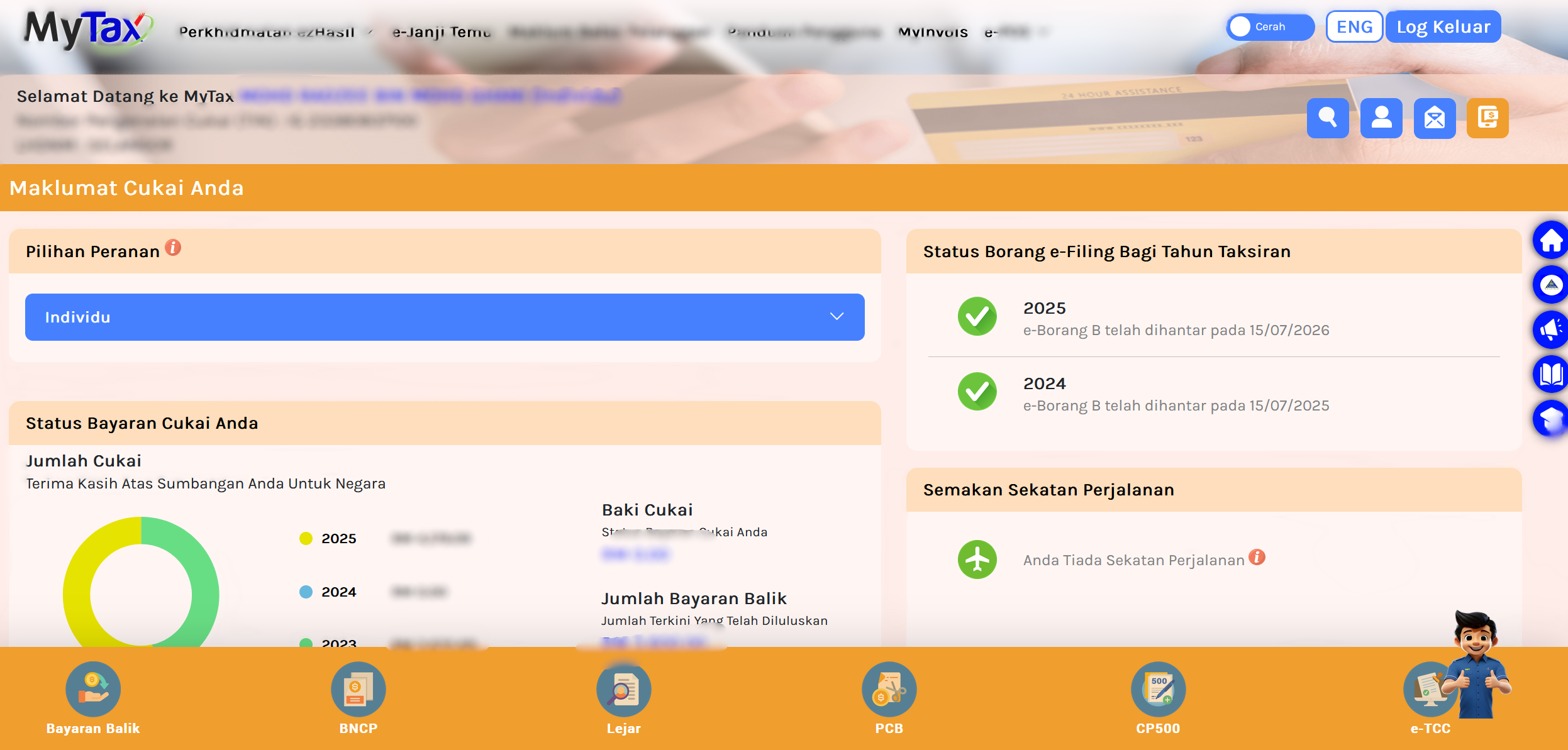
Select the correct business in MyTax and confirm that the taxpayer profile, intermediary arrangement and MyInvois access are ready for the integration.
This guide explains how to integrate the LHDN MyInvois API with ERP, POS, accounting and business software in Malaysia. Learn how to register an ERP in MyInvois, obtain your LHDN Client ID and Client Secrets, configure MySyncTax, and connect your application using PHP, Laravel, C# or VB.NET.
What this page covers: MyTax and MyInvois preparation, intermediary checks, ERP registration, LHDN Client ID and client secrets, MySyncTax developer credentials, and the next step for application-level API integration.
This page is the general setup and integration guide. Use the language-specific documentation when you are ready to implement API requests in your application.
MyInvois provides APIs that taxpayer ERP systems can use to integrate with Malaysia's e-Invoice platform. At a high level, the integration starts with taxpayer and ERP setup, continues with authentication, and then moves into invoice submission and response handling.
Select the correct business in MyTax and confirm that the taxpayer profile, intermediary arrangement and MyInvois access are ready for the integration.
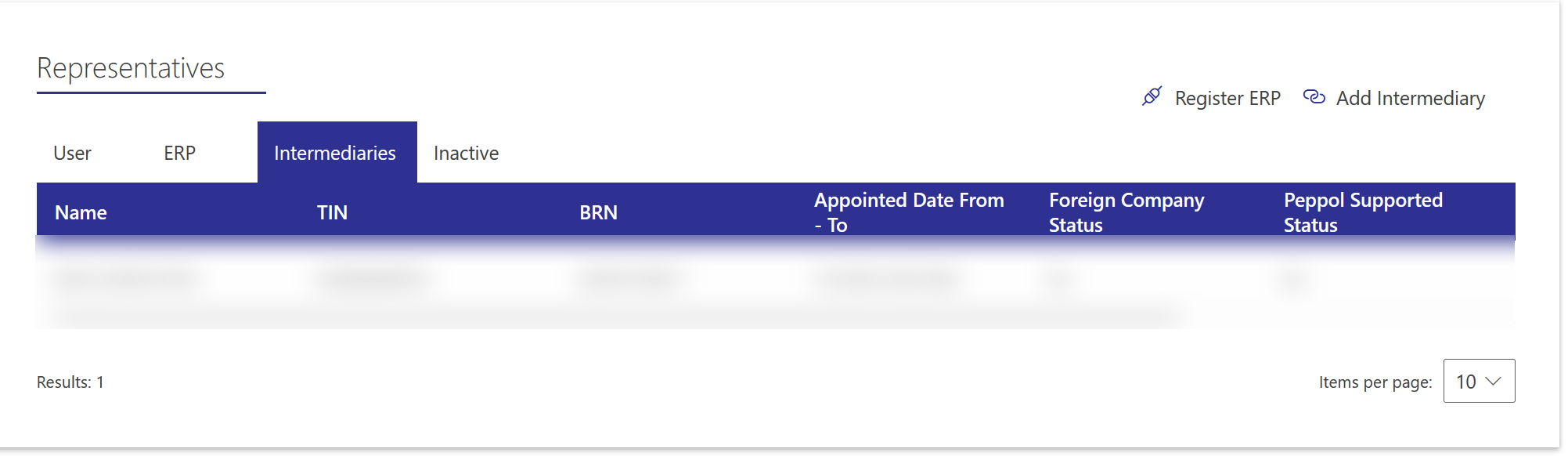
Register an ERP system in MyInvois to obtain the Client ID and client secrets used for the LHDN-side system identity.
Add the business to MySyncTax, enter the LHDN client keys and retrieve the MySyncTax API Key and API Secret for your application integration.
The official MyInvois API uses an OAuth 2.0 client-credentials flow for system authentication. The resulting access token is used for protected MyInvois API operations.
Applications can submit supported documents through the MyInvois e-Invoice API after preparing data in the required document structure and format.
Your application should store relevant submission references, check processing results, handle validation outcomes and follow the official integration practices for retries and rate limits.
Client ID, Client Secret 1 and Client Secret 2 come from ERP registration in MyInvois. These identify the ERP on the LHDN side.
API Key and API Secret are generated in the MySyncTax Developer Portal for your MySyncTax integration. Do not confuse them with the LHDN client keys.
The video walkthrough follows the same setup sequence as the written guide below, from MyTax selection through MySyncTax API credentials.
Follow the MyInvois LHDN API setup process: select a business, check the intermediary, register an ERP, save the LHDN client keys and locate the MySyncTax developer credentials.
Video length: 2 minutes 48 seconds. The written walkthrough below follows the same order.
Have the required portal access, taxpayer information and account details ready before you begin.
You will need your MyTax login and a MySyncTax Developer Portal account. Confirm that you can also access the correct business in MyInvois.
Keep your registered business name, TIN, identification details, contact information and business address available. You will also need the intermediary details provided for your MySyncTax setup.
The screenshots below show the setup screens with sensitive details obscured. Select any screenshot to view it at full size.
MyTax · Recording ~00:00–00:30
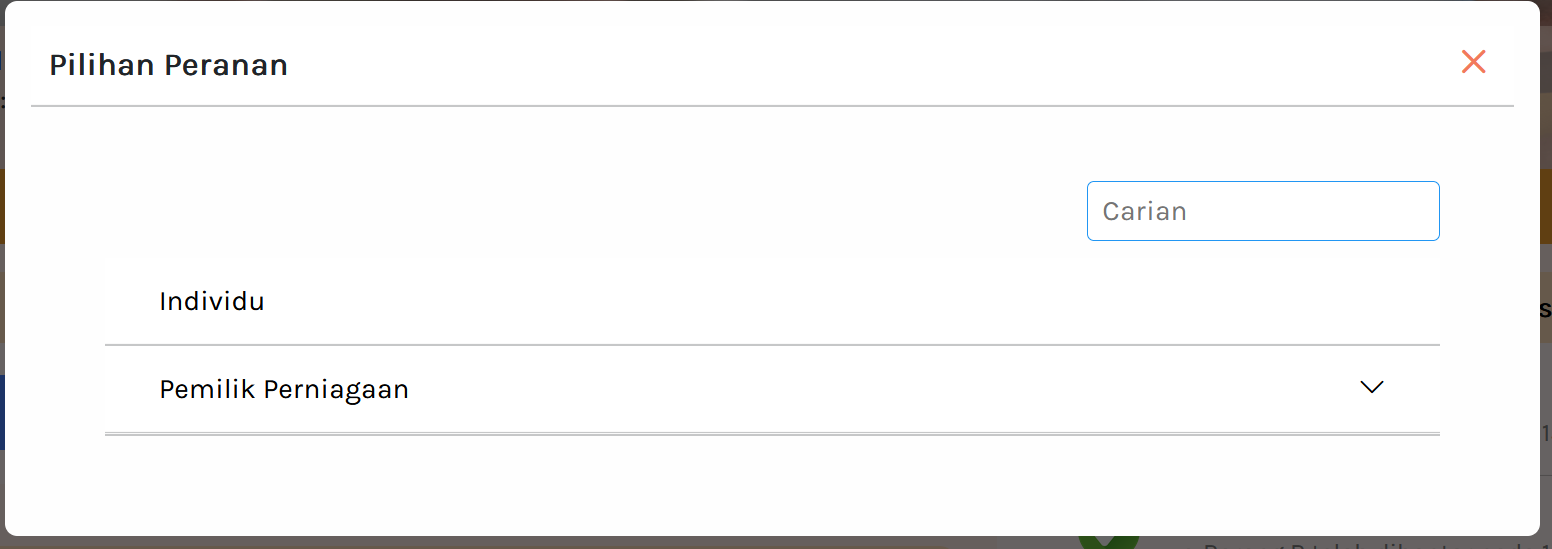
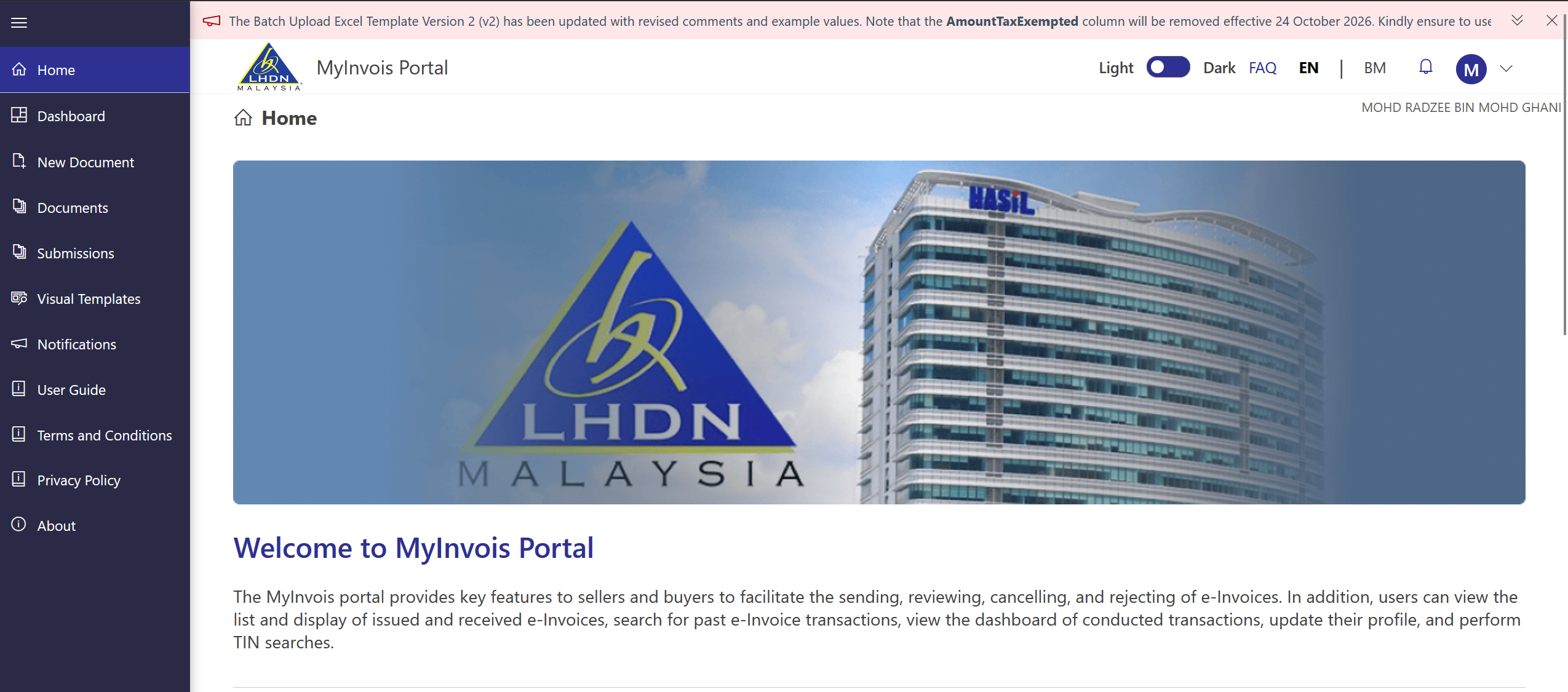
MyInvois · Recording ~00:31–01:01
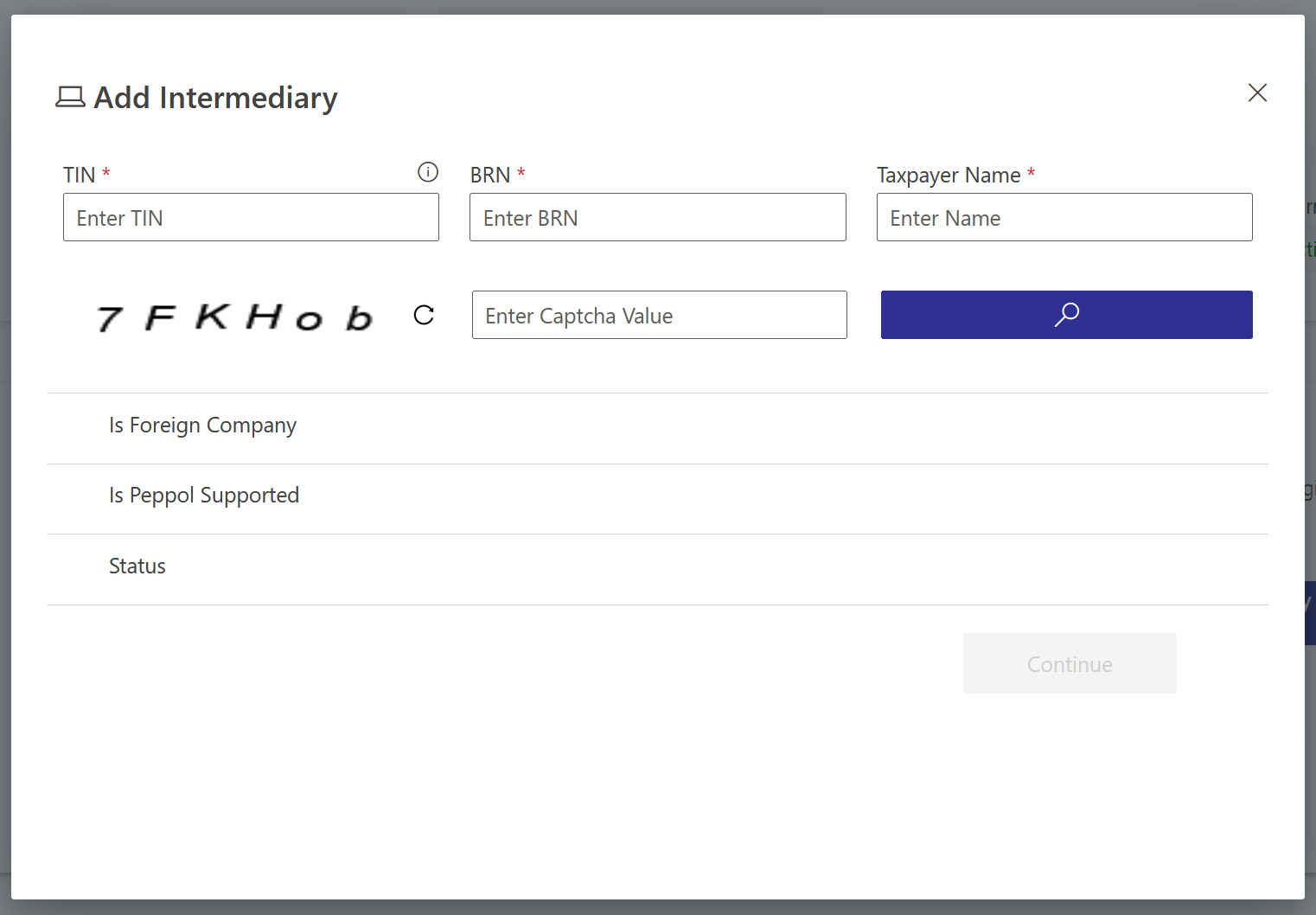
MySyncTax Developer Portal · Recording ~01:02–01:42
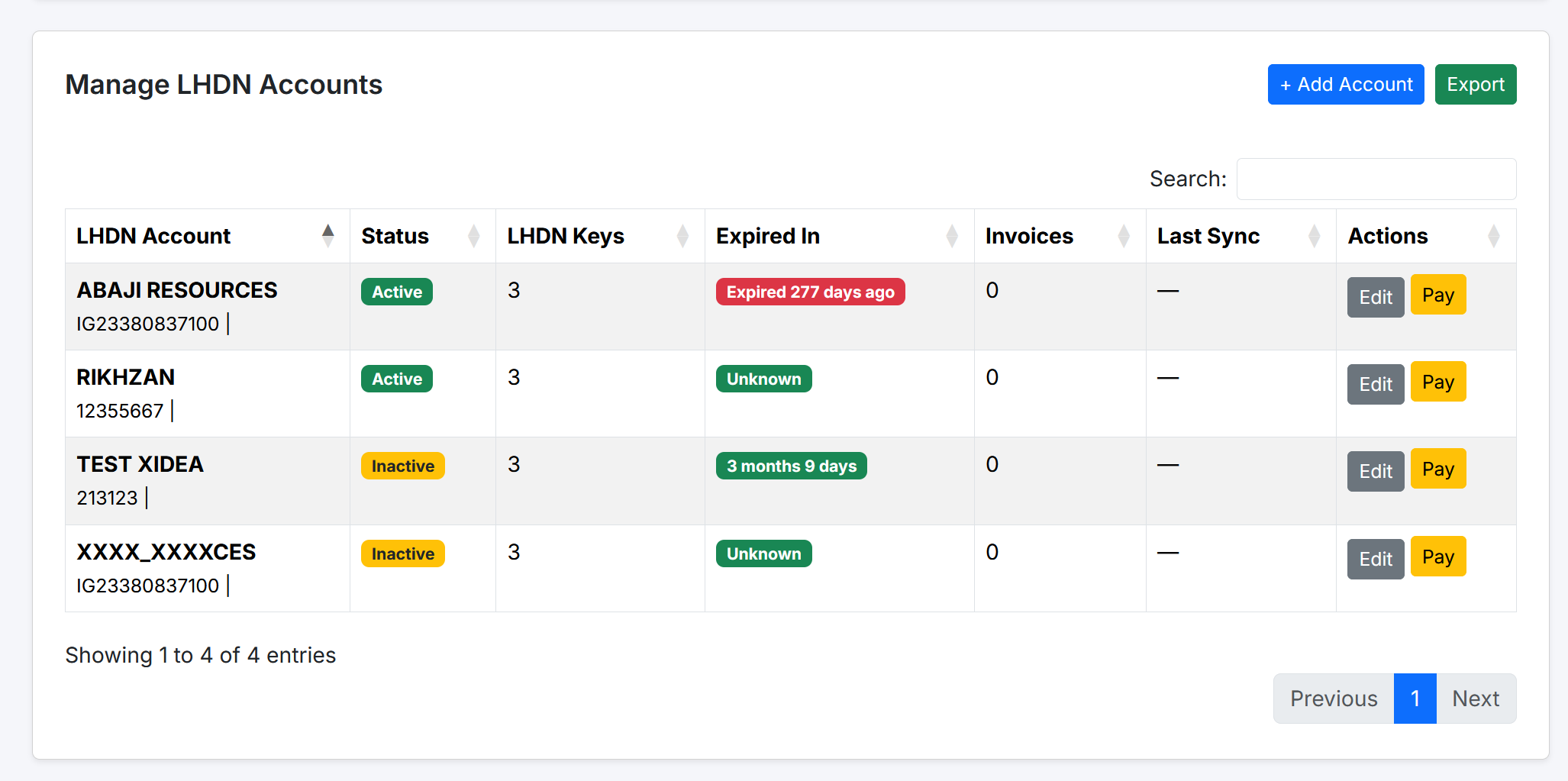
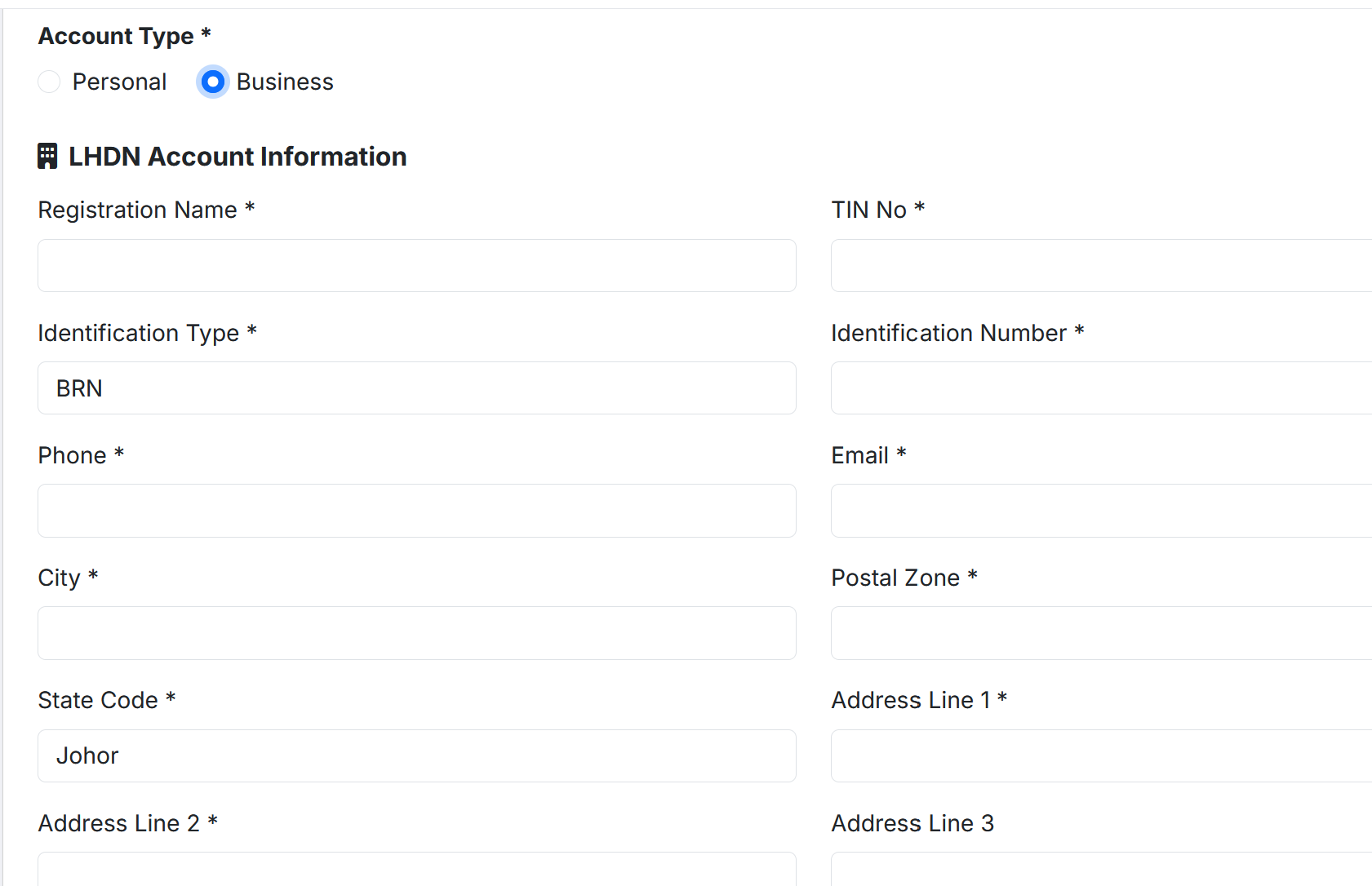
| Details | Fields to complete |
|---|---|
| Taxpayer | Registration Name and TIN No. |
| Identification | Identification Type and Identification Number. The recording uses BRN. |
| Contact | Phone and Email |
| Address | City, Postal Zone, State Code, Address Line 1 and Address Line 2. Address Line 3 is optional in the form shown. |
Keep this form open. Before saving the MySyncTax account, obtain the LHDN Client Keys from the MyInvois ERP registration.
MyInvois · Recording ~01:43–02:07
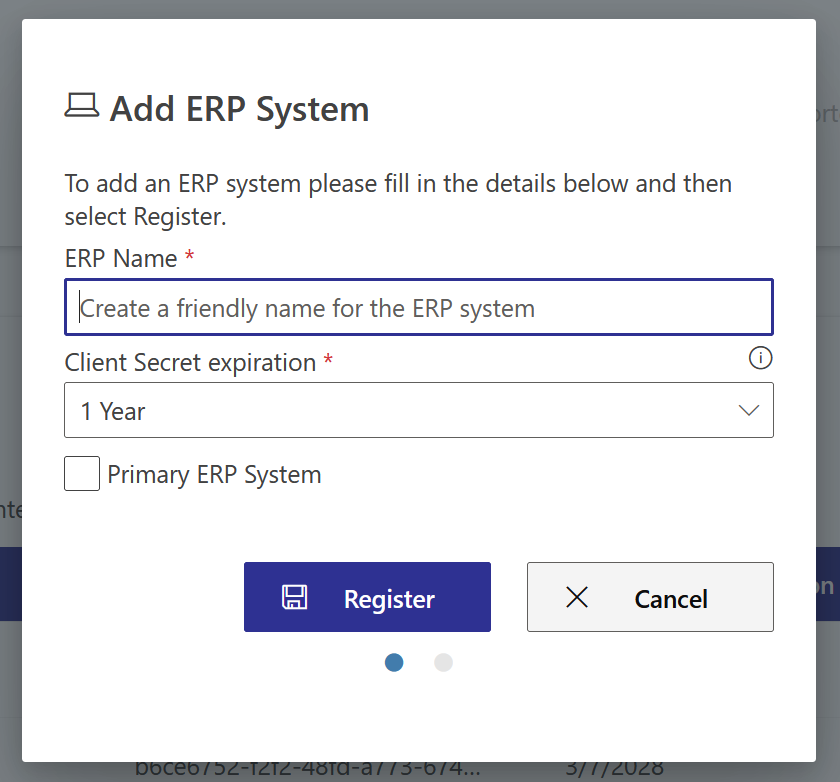
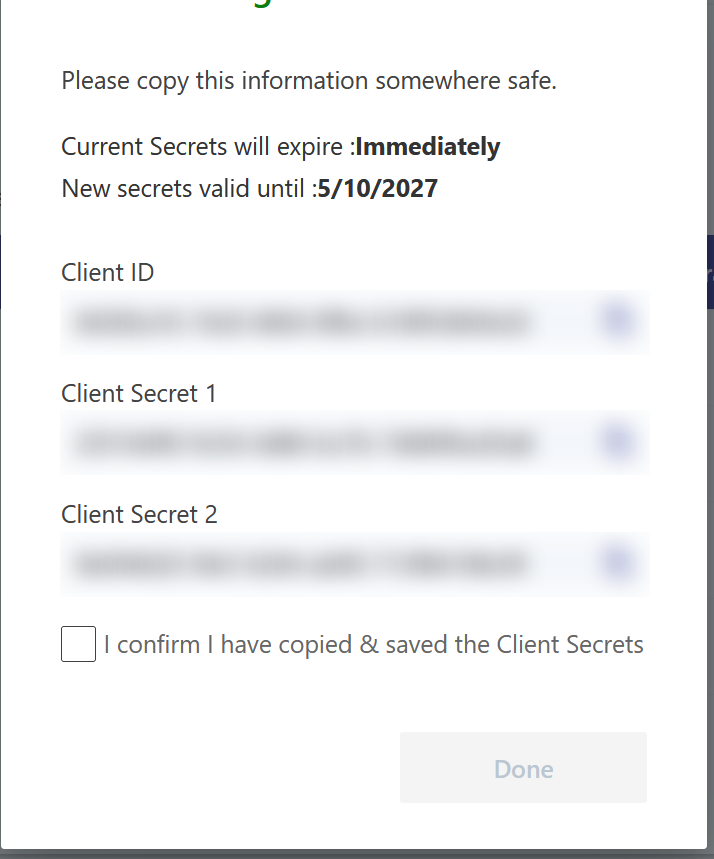
MyInvois & MySyncTax · Recording ~02:08–02:21
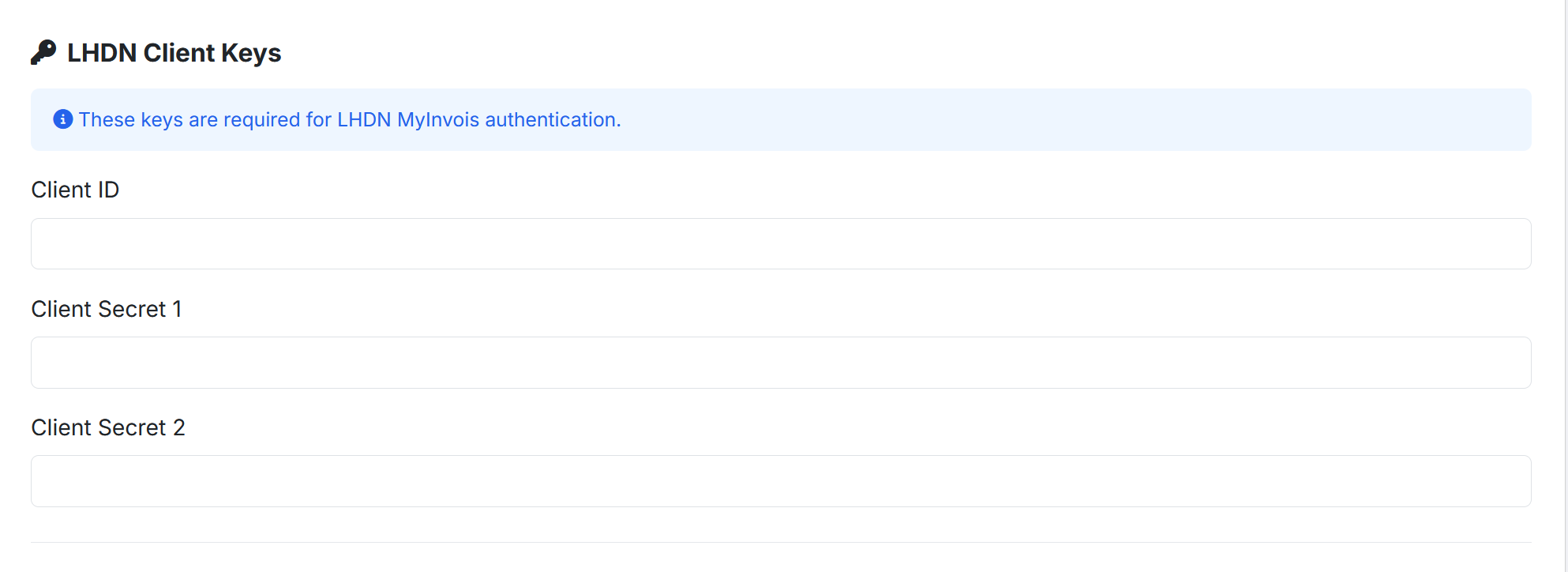
MySyncTax Developer Portal · Recording ~02:22–02:29
Creating the account does not necessarily mean the complete e-Invoice integration is ready for production. Continue with the developer integration guide and complete the required activation, testing and application-level implementation for your setup.
MySyncTax Developer Portal · Recording ~02:30–02:42
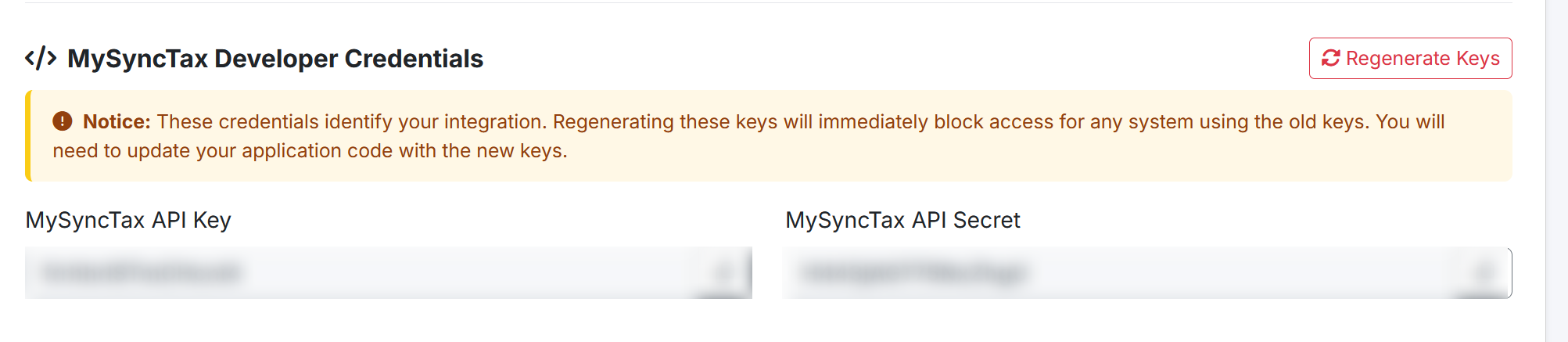
Once the taxpayer account, ERP registration and MySyncTax credentials are ready, move to the implementation guide for your application's technology stack. This keeps the general MyInvois LHDN API Integration Guide focused on setup while the developer pages cover framework-specific code and request handling.
MySyncTax documentation should be used together with the latest official LHDN MyInvois SDK. The official SDK defines the API endpoints, document structures, authentication behaviour, supported e-Invoice operations and integration practices used by taxpayer ERP systems.
For direct LHDN integration, Login as Taxpayer System exchanges the ERP Client ID and a client secret for an OAuth 2.0 access token. For the MySyncTax examples, send your MySyncTax API Key and API Secret in the server-side JSON request as mysynctax_key and mysynctax_secret.
With MySyncTax, choose the normal receipt QR flow or the ERP invoice flow with customer data described in the MySyncTax API documentation. The language guides show how to send JSON and store the response.
For direct LHDN integration, Submit Documents uses POST /api/v1.0/documentsubmissions/. A 202 response reports initial acceptance; check subsequent validation results before marking an invoice valid.
Integration practices: LHDN publishes current guidance for token reuse, polling, API limits and response handling. Check these references whenever you build or maintain an integration.
Use this API to request deletion of an invoice from MySyncTax by its unique ID. The API validates your integration credentials and checks the invoice submission status before processing the request.
POST https://mysynctax.com/v5/api/myinvois/delete/{mysynctax_uniqueId}mysynctax_unique_id (string): unique invoice identifier passed in the URL.mysynctax_key (string): integration API key assigned to your company.mysynctax_secret (string): integration API secret assigned to your company.Send both integration credentials in the JSON request body.
{
  "mysynctax_key": "YOUR_MYSYNCTAX_KEY",
  "mysynctax_secret": "YOUR_MYSYNCTAX_SECRET"
}Use the same HTTP request from any server-side language. Store credentials securely and use the correct base URL for your environment.
curl --request POST "https://mysynctax.com/v5/api/myinvois/delete/{mysynctax_uniqueId}" \
  --header "Content-Type: application/json" \
  --data '{
    "mysynctax_key": "YOUR_MYSYNCTAX_KEY",
    "mysynctax_secret": "YOUR_MYSYNCTAX_SECRET"
}'This response indicates that deletion was rejected because the invoice has already been submitted to LHDN.
{
  "success": false,
  "message": "Invoice cannot be deleted because it has already been submitted.",
  "unique_id": "50dc9929XXXXXXXXXXXXXXXXXXXXXXXXXX",
  "invoice_no": "MZXXX-XXXXXXXX",
  "submission_status": "Submitted"
}
The response includes success (boolean), message, unique_id, invoice_no and submission_status.
Important: Use POST, pass the invoice unique ID in the URL, and include both credentials in the JSON body. An invoice already submitted to LHDN cannot be deleted through this API. The supplied URL contains /dev/; confirm that this is the correct base path for your environment.
These answers clarify the difference between setup credentials, MySyncTax credentials and the application-integration stage.
MyInvois LHDN API integration connects an ERP, POS, accounting platform or business application with Malaysia's MyInvois system so software can perform supported e-Invoice operations through an API-based workflow instead of relying only on manual portal activity.
ERP registration in MyInvois provides the LHDN Client ID and client secrets. In the MySyncTax workflow shown on this page, MySyncTax separately generates an API Key and API Secret for your application integration. Keep both credential sets separate and secure.
No. The LHDN Client ID and client secrets belong to the MyInvois ERP registration. The MySyncTax API Key and API Secret are separate developer credentials generated for the MySyncTax application integration.
Sign in to MyInvois, open the taxpayer profile, go to the ERP section and register an ERP system. MyInvois then provides the Client ID and client secrets for that ERP registration. See Register an ERP System in MyInvois.
From the taxpayer profile in MyInvois, open Representatives, choose the ERP tab, select Register ERP, name the ERP, choose the client-secret expiration option and complete the registration. Securely save the Client ID and both client secrets.
A MyInvois Client Secret is a private credential paired with the ERP Client ID for system authentication. Store it securely and never expose it in public source code, frontend JavaScript, screenshots or public repositories.
The MyInvois API is LHDN's official e-Invoice API platform. MySyncTax provides its own integration layer and developer credentials for applications using the MySyncTax workflow described in this guide. The LHDN Client ID and secrets are therefore different from the MySyncTax API Key and API Secret.
Complete the taxpayer and ERP setup first, then continue to the MyInvois API Integration PHP guide for server-side authentication, HTTP requests, request payloads, response handling and errors.
Complete the taxpayer and ERP setup first, then continue to the MyInvois API Integration Laravel guide for configuration, Laravel HTTP client requests, service logic, responses and error handling.
Yes. A POS system can integrate when its backend can securely authenticate, prepare the required e-Invoice data and call the relevant integration APIs. Keep credentials on the server side rather than exposing them in the POS frontend.
Yes. Accounting and ERP software can integrate with MyInvois when they implement the required authentication, document structures, submission flow and response handling.
Choose the MySyncTax endpoint for your invoice workflow, authenticate with your MySyncTax credentials, send the required JSON and save the response references. Direct LHDN integrations use the separate MyInvois Submit Documents API and its document format. See the official submission reference on this page.
Check the submission and document status, inspect the validation error details, correct the source data or document structure, and submit a corrected document according to the current MyInvois SDK guidance. Your application should retain useful references and log enough detail for troubleshooting without exposing sensitive credentials.
Yes. MyInvois integration uses HTTP APIs, so .NET applications can integrate using C# or VB.NET. Continue to the C# guide or VB.NET guide.
Yes. Validate authentication, document preparation, submission, status handling and error handling in the environment appropriate to your implementation before relying on the integration in production. Refer to the current official LHDN MyInvois SDK for the latest environment and API requirements.